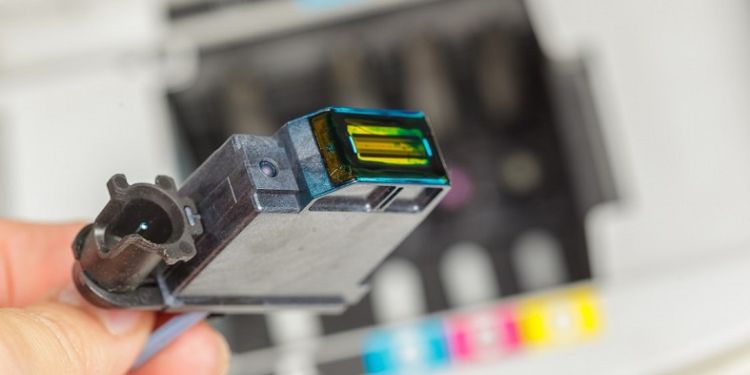
Ink Cartridge Issues
Ink cartridges are essential for producing clear and vibrant prints, but several common problems can impact performance:
- Clogged Nozzles: Dried ink or dust can block the print heads, causing streaks or missing colors.
- Low or Empty Cartridges: When ink runs out, printing may stop or warnings appear.
- Incompatible or Refilled Cartridges: Third-party or refilled cartridges may not match your printer, causing leaks or errors.
- Old or Improperly Stored Cartridges: Aging or improperly stored cartridges can dry out and reduce performance.
- Infrequent Use: Leaving a printer idle can allow ink to settle and harden in the nozzles.
- Environmental Effects: Extreme temperatures or humidity can affect ink flow and consistency.
Step-by-Step Fixes for Ink Cartridge Issues
To resolve cartridge problems, follow these steps with the printer powered on and accessible:
- Check Ink Levels: Verify cartridge status using the printer’s display or software. Replace empty cartridges with genuine, compatible ones.
- Run Automatic Cleaning: Use the printer’s built-in cleaning cycle to flush out clogged nozzles and restore proper ink flow.
- Manual Cleaning: Remove cartridges and gently wipe the nozzles with a lint-free damp cloth. Avoid touching electrical contacts.
- Align Cartridges: Use your printer’s alignment tool to recalibrate the cartridges and improve print quality.
- Replace Faulty Cartridges: If cleaning and alignment fail, install new cartridges that match your printer model.
- Store Spares Correctly: Keep extra cartridges in a cool, dry place with caps on to prevent drying out.
Prevention Tips
To reduce future issues and maintain consistent print quality:
- Use the printer regularly to keep ink flowing.
- Choose high-quality OEM cartridges whenever possible.
- Perform periodic cleaning and alignment cycles.
- Keep the printer in a stable environment, avoiding extreme temperatures.
- Monitor ink levels and replace cartridges before they run completely empty.
By addressing ink cartridge problems promptly and following proper maintenance, you can ensure sharp, reliable prints and prolong your printer’s lifespan. For persistent issues, consult your printer’s manual or a certified technician.